Python Course in Nepal

Core Python Programming with Project Work – Build Real-World Applications from Basics to Advanced

Python

Looking for the best Python course in Nepal?
Join the professional Python Training at Code IT and learn how to build powerful, real-world applications using Python — the world’s most popular programming language.

This hands-on programming course is ideal for students across Nepal who want to master Python, gain practical experience, and develop job-ready coding skills. You’ll work with data structures, automation, web development, and real-world Python projects used in software development and data-driven applications.

Our training program offers live online classes accessible from anywhere in Nepal, along with hands-on classroom sessions in Dharan. Strengthen your programming skills, build practical projects, and prepare for professional opportunities in software development, data science, and automation.

Learn Python programming, develop real-world applications, and gain the confidence to work as a professional Python developer in Nepal’s competitive tech industry.

Prerequisites
No prior programming knowledge is required for Python though logical thinking and problem-solving skills are an added advantage.
Basic Git Knowledge
Python

Python

Next batch starting soon

Mode: Online (Google Meet) Google Meet
Duration: 1 month
Rs.1,499/-
Rs.16,500 Save 90%
Enquiry

Have any Question?

WhatsApp: 9862130505
Telephone: 025-575163

Everything You Receive

All-inclusive support — from training to real-world experience

Live Classes

Google Meet
7:00 PM - 8:00 PM

Lifetime Videos

Re-watch anytime

Certification

Industry recognized

Internship

Internship is not currently available.

Course Curriculum

Everything you'll learn — from fundamentals to advanced concepts

What you will learn

  • Python Fundamentals

  • Functions & Modules

  • Data Structures

  • Object-Oriented Programming (OOP)

  • Advanced Python & Real Projects

01 Day 1: Introduction to Python
Introduction to Python and its feature
Installing Python and setting up development environment
Writing and running your first Python program
02 Day 2: Pretty Basic
Syntax, variables, and data types.
Basic input/output operations.
Writing simple programs using variables and user input.
03 Day 3: Functions and Modules
Functions: definition, arguments, return values.
Lambda functions and their use cases.
Importing and using modules (built-in and custom).
04 Day 4: Data Structures Part I
Introduction to lists and tuples: indexing, slicing, and methods.
Understanding sets and dictionaries.
Practical exercises with real-world examples.
05 Day 5: Data Structures and File Handling
Advanced data structures: nested collections and comprehensions.
File handling: reading, writing, working with text and binary files.
Mini-project: Create a program to log user activity in a text file.
06 Day 6: Advanced Topics in Python I
Iterators and generators with practical examples.
Decorators: creating and applying them
Exception handling: try-except-else-finally.
07 Day 7: Advanced Topics in Python (Part 2)
Regular expressions: pattern matching and searching.
Python's datetime module: working with dates and times.
Overview of os and sys modules for file and system operations.
08 Day 8: Object-Oriented Programming (OOP - Part 1)
Introduction to OOP concepts: classes and objects.
Understanding the __init__ method.
Writing simple OOP-based programs.
09 Day 9: Object-Oriented Programming (OOP - Part 2)
Inheritance: single and multiple inheritance.
Method overriding and using super().
Hands-on examples for inheritance.
10 Day 10: Object-Oriented Programming (Part 3)
Polymorphism: method overloading and overriding
Encapsulation: private and protected members.
Abstraction: abstract base classes and abstract methods.
11 Day 11: Object-Oriented Programming (OOP - Part 4)
Magic/dunder methods (__str__, __repr__, etc.).
Understanding @property decorators and property methods.
Practice OOP concepts with small, real-world problems.
12 Day 12: Setting the Foundation for Projects
Understanding libraries: Tkinter, Pygame, Requests, BeautifulSoup, OpenCV
Project brainstorming session: decide on themes and goals.
Setting up project environments
13 Day 13-14: Final Practice for Core Concepts
Solving problems involving data structures, OOP, and file handling.
Exercises to prepare for the transition to projects.
Q&A session to clarify doubts.
14 Day 15: GUI with Tkinter (Part 1)
Basics of Tkinter: creating windows and adding widgets (labels, buttons, entries).
Mini-project: Build a simple calculator with Tkinter.
15 Day 16: GUI with Tkinter (Part 2)
Event handling and layout management.
Adding menus and message boxes.
Mini-project: Create a To-Do list application.
16 Day 17: GUI with Tkinter (Part 3)
Using the Canvas widget for drawings and visualizations.
Saving and retrieving data with files (CSV or text).
Mini-project: Extend the To-Do list application with save/load functionality.
17 Day 18: Simple Games with Pygame (Part 1)
Setting up Pygame, creating a game window, and drawing shapes.
Handling user input (keyboard events).
Mini-project: Create a basic "Catch the Falling Objects" game.
18 Day 19: Simple Games with Pygame (Part 2)
Adding custom graphics, animations, and sounds.
Implementing collision detection and scoring
Mini-project: Enhance the "Catch the Falling Objects" game with levels.
19 Day 20: Simple Games with Pygame (Part 3)
Advanced game mechanics: timers, multiple objects, and endgame logic.
Mini-project: Complete a "Ball Bounce" or "Brick Breaker" game.
20 Day 21: Web Scraping with Requests and BeautifulSoup4 (Part 1)
Introduction to web scraping: HTTP requests and HTML parsing.
Extracting text, links, and tables.
Mini-project: Scrape weather data or product details.
21 Day 22: Web Scraping with Requests and BeautifulSoup4 (Part 2)
Handling pagination and dynamic content.
Saving scraped data to CSV files.
Mini-project: Scrape job listings or news headlines across pages.
22 Day 23: Web Scraping with Requests and BeautifulSoup4 (Part 3)
Error handling and scraping ethics (robots.txt).
Mini-project: Create a customizable scraper with user-defined inputs
23 Day 24: Attendance System (Face Detection - Part 1)
Introduction to OpenCV and setting up the environment.
Basics of image processing: loading images, resizing, and face detection with Haar cascades.
Mini-project: Build a script to detect faces in static images.
24 Day 25: Attendance System (Face Detection - Part 2)
Capturing video from a webcam.
Detecting faces in live video streams.
Mini-project: Extend the script to display the number of faces on the screen.
25 Day 26: Attendance System (Face Detection - Part 3)
Saving attendance data to CSV.
Mini-project: Create a simple attendance tracker using face detection.
26 Day 27: Attendance System (Face Detection - Part 4)
Improving detection accuracy with DNN models.
Mini-project: Integrate face detection with a Tkinter GUI for an interactive attendance system.
27 Day 28: Further Discussions
Q&A session and feedback.

Earn Your Certification

After completing the course, you will receive a professional certificate from Code IT, verified by industry leaders in Nepal.
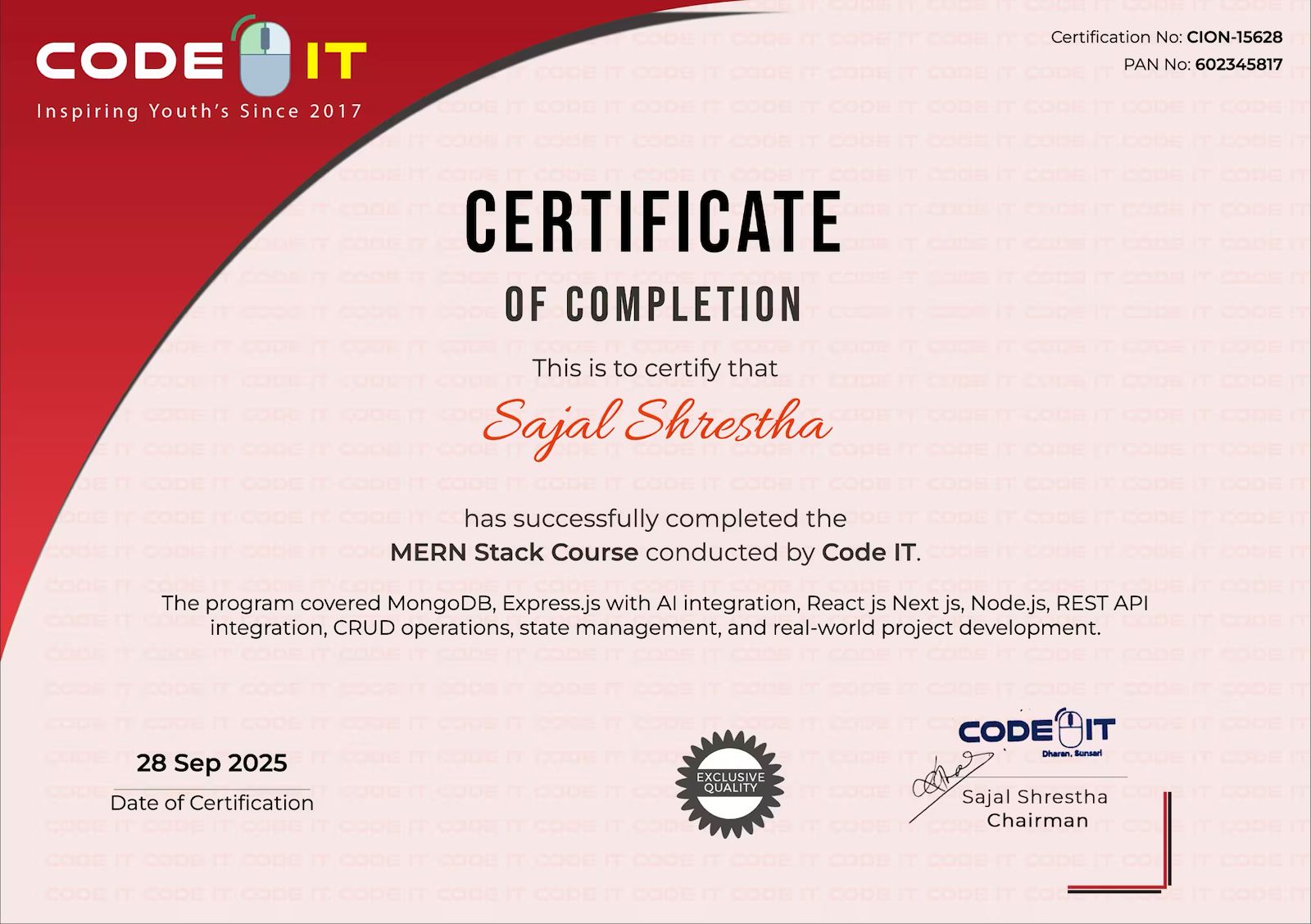
Share your achievement with pride on LinkedIn.
Certificate

Course Mentors

Learn directly from industry experts with years of hands‑on experience

Er.Bhuwan Ghimire

Er.Bhuwan Ghimire

Python DevOps Developer

NSDevil,South Korea 9+ Years Experience
Prakash Tajpuriya

Prakash Tajpuriya

Sr. Full Stack Developer

Code IT, Nepal 6+ Years of Experience
Get in Touch

Need More Information?

Our team will respond within a few hours

Why Enquire?

Payment plans & installment options
Certificate & accreditation details
Course level & suitability check
Flexible batch timings
Career guidance & job support

Join 100k+ successful graduates

We'll respond within 2-3 hours during business hours

Watch Demo Video